How to audit your winemaking, traceability and label integrity
Overview
This page contains a brief discussion of the data and reports that can be used to pass an audit of your record keeping system. It focuses on relevant data for wine labelling assurance programmes and wine traceability.
The data in Vinsight can be used dually for formal audits for certification of things like label claims, organics programmes, governmental compliance and food safety as well as providing detailed info for use in your winemaking decisions.
The purpose of a formal audit of a record keeping system is not to verify every byte of information stored in your system but to audit the procedures and mechanics of the system to be able to infer the accuracy of the information that comes out of the system. The processes below can help you either sample your data, or do detailed traceability.
- What fruit came into the winery
- Where is the wine from a particular harvest of fruit now
- What bulk wine came into the winery
- What is in the winery now
- What fruit parcels make up the blend of each vessel
- The composition of bulk wine received
- The composition of bulk wine despatched
- The composition of bulk wine bottled
- View Audit Trail
How do I verify. . .
What fruit came into the winery?
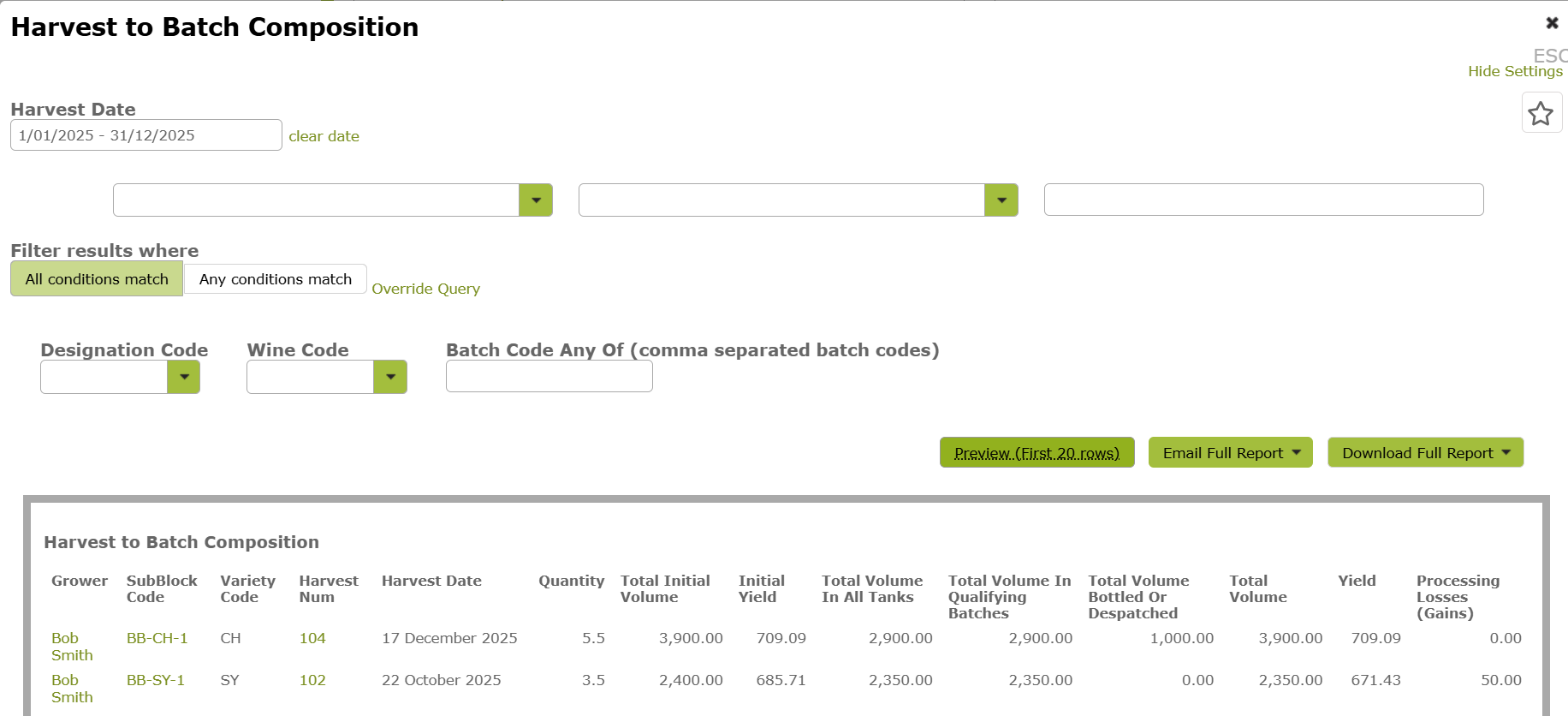
Use the Harvest To Batch Composition report.
This report lists harvests for a selected period and shows how much wine came from each harvest. It also provides a summary of where that wine currently is, for example whether it is still in tank, bottled, or despatched.
Where is the wine from a particular harvest of fruit now?
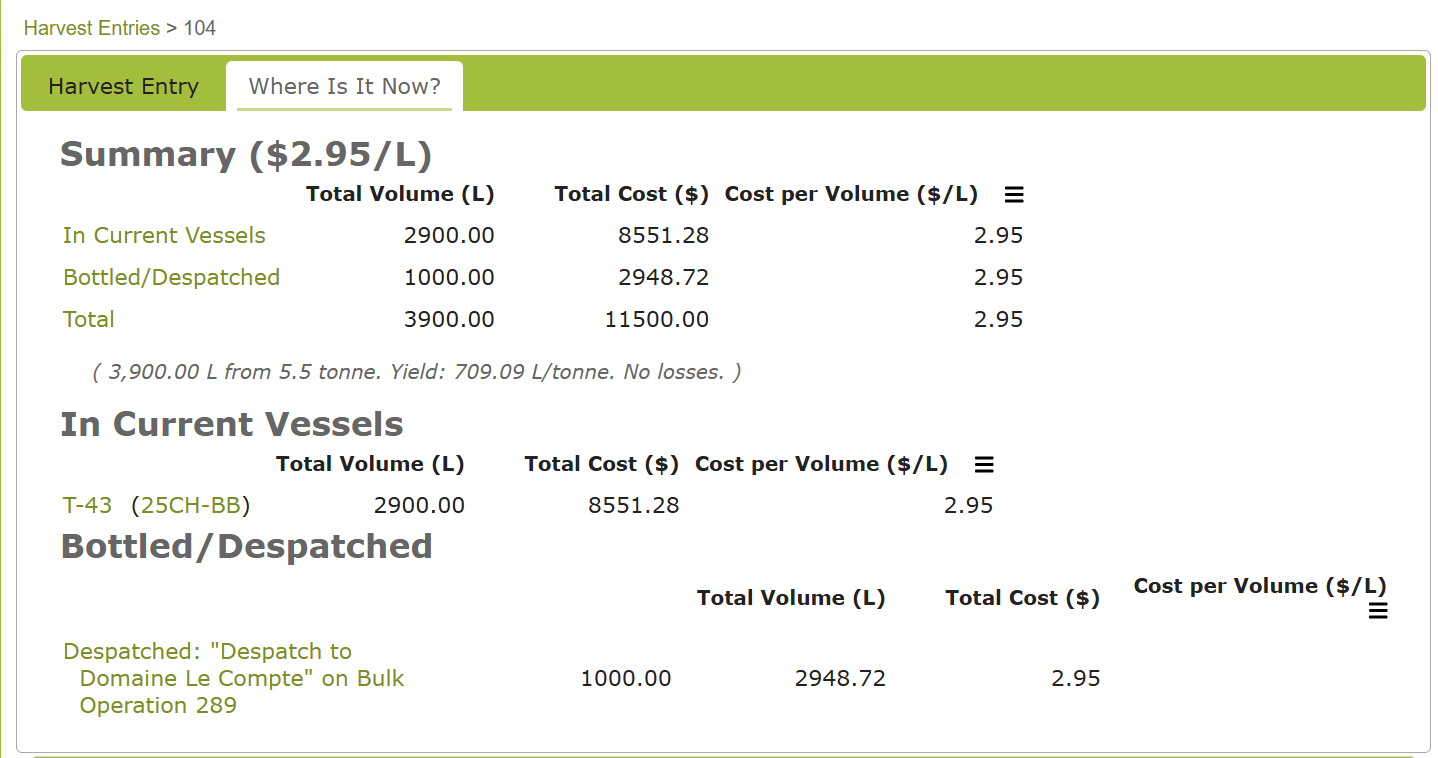
Use the “Where Is It Now” tab on the individual Harvest record.
You can access the Harvest from the Harvest Entry list, or use the Harvest To Batch Composition report above to help locate the harvest.
In the example below, the wine from this harvest is currently in one tank (T-43) and has also been despatched to “Domaine Le Compte”.
What bulk wine came into the winery?
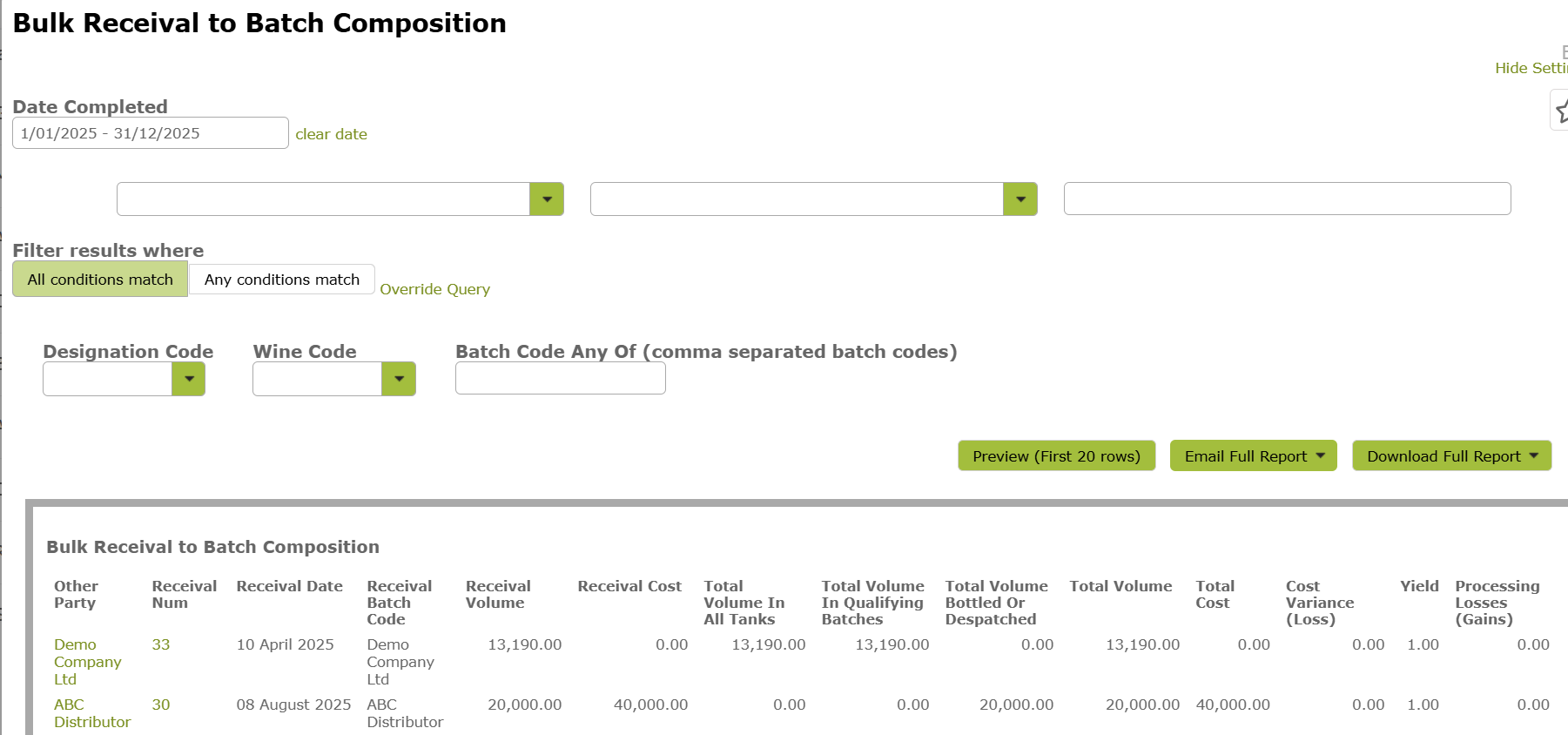
Use the Bulk Receival To Batch Composition report.
This is similar to the Harvest To Batch Composition report above. It lists bulk receivals for a selected period and provides a summary of where the wine currently is, for example whether it is still in tank, bottled, or despatched.
What is in the winery now?
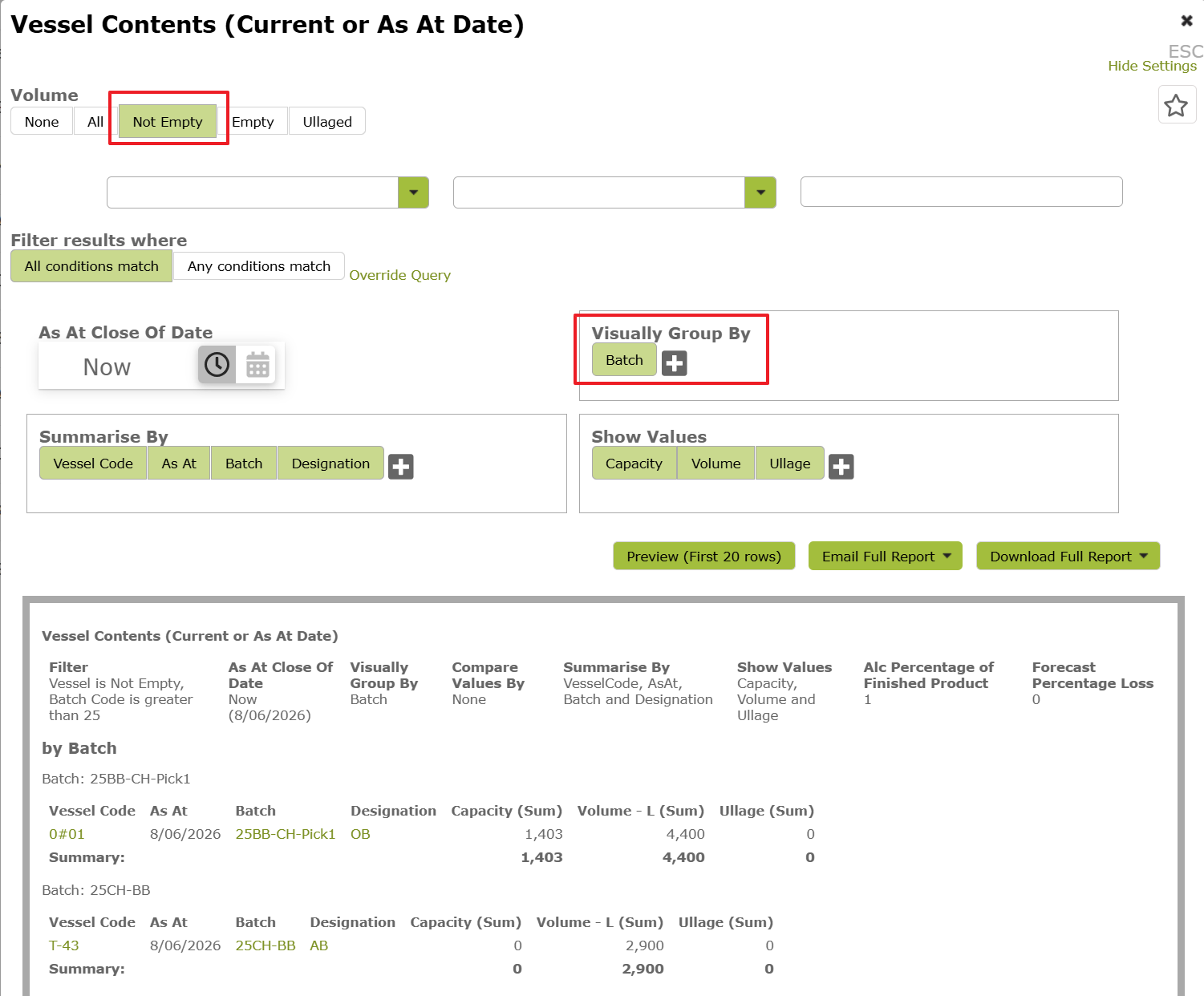
Use the Vessel Contents (Current or As At Date) report:
For audit purposes, you may want to filter the report to show only “Not Empty” vessels. You may also find it useful to group the report by Batch.
What fruit parcels make up the blend of each vessel?
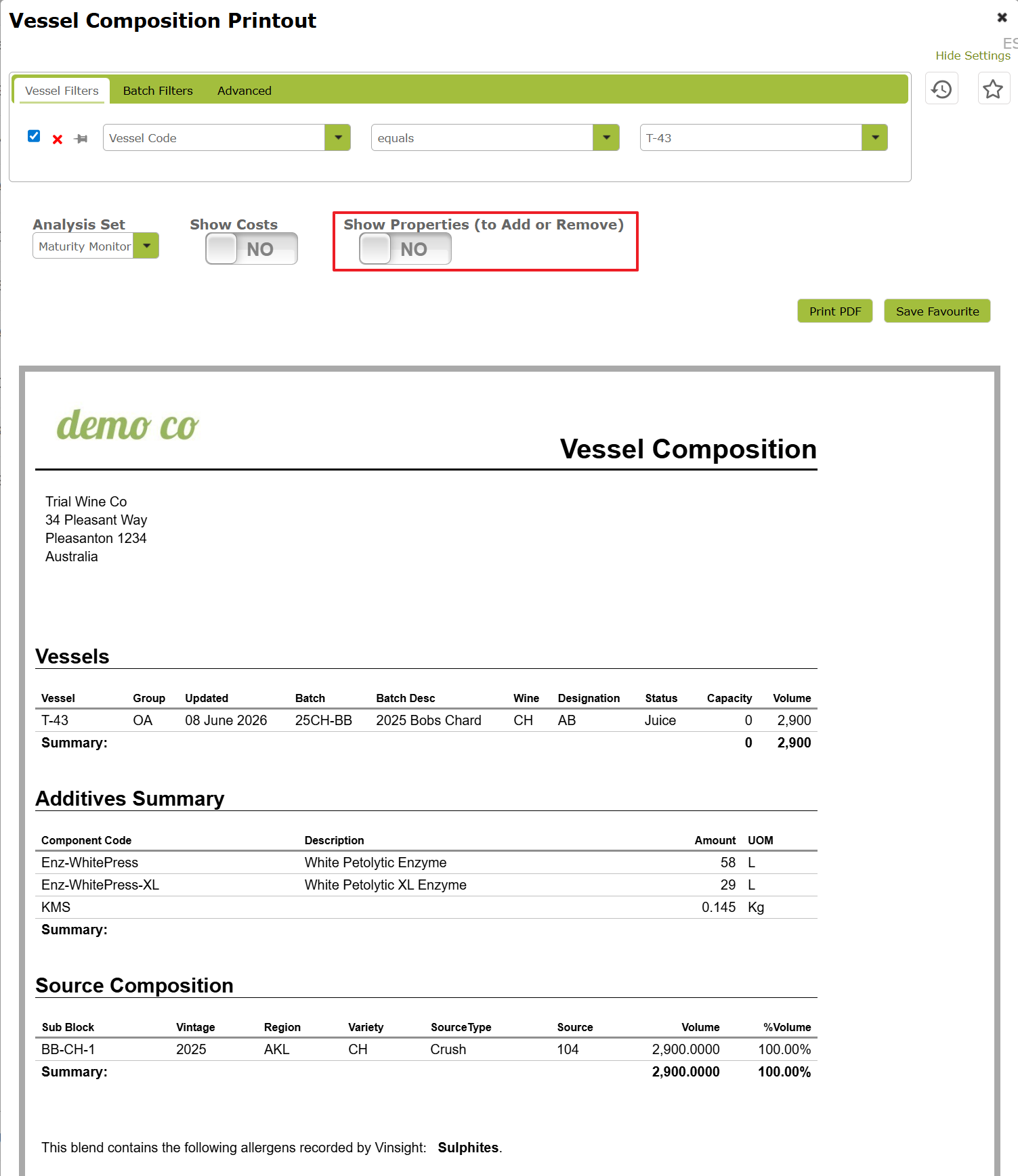
Use the individual Vessel record, which you can access from the Vessels list, or use the Vessel Composition report.
The example below shows that this tank contains wine from Harvest Number 104, which matches the earlier harvest examples.
The composition of bulk wine received?
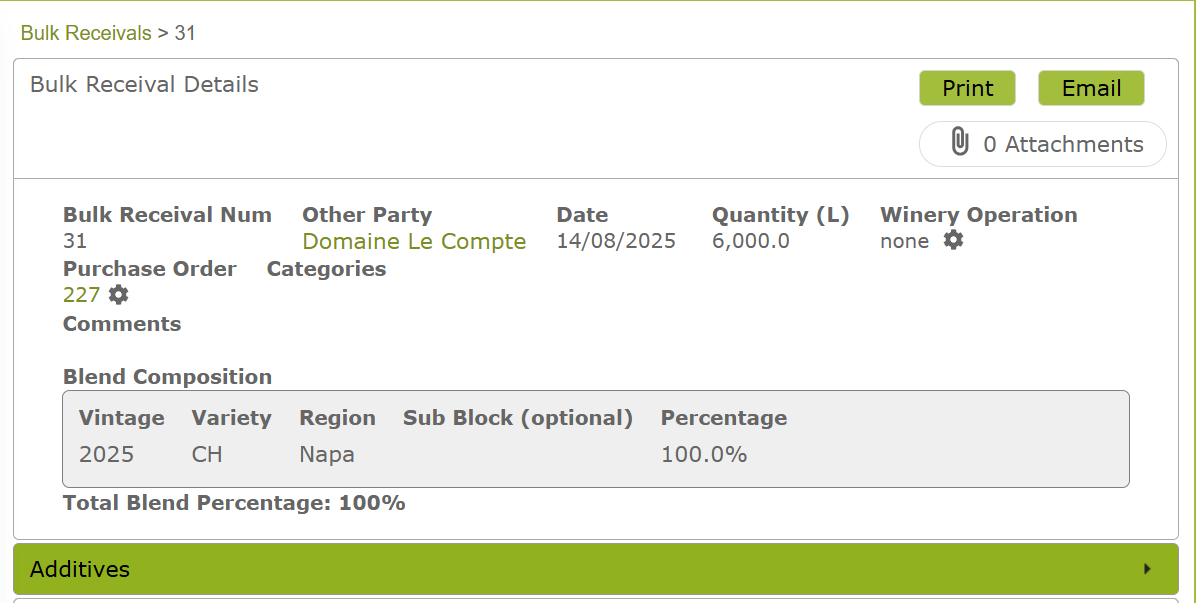
Open the individual Bulk Receival record from the Bulk Receivals list.
The composition of bulk wine despatched?
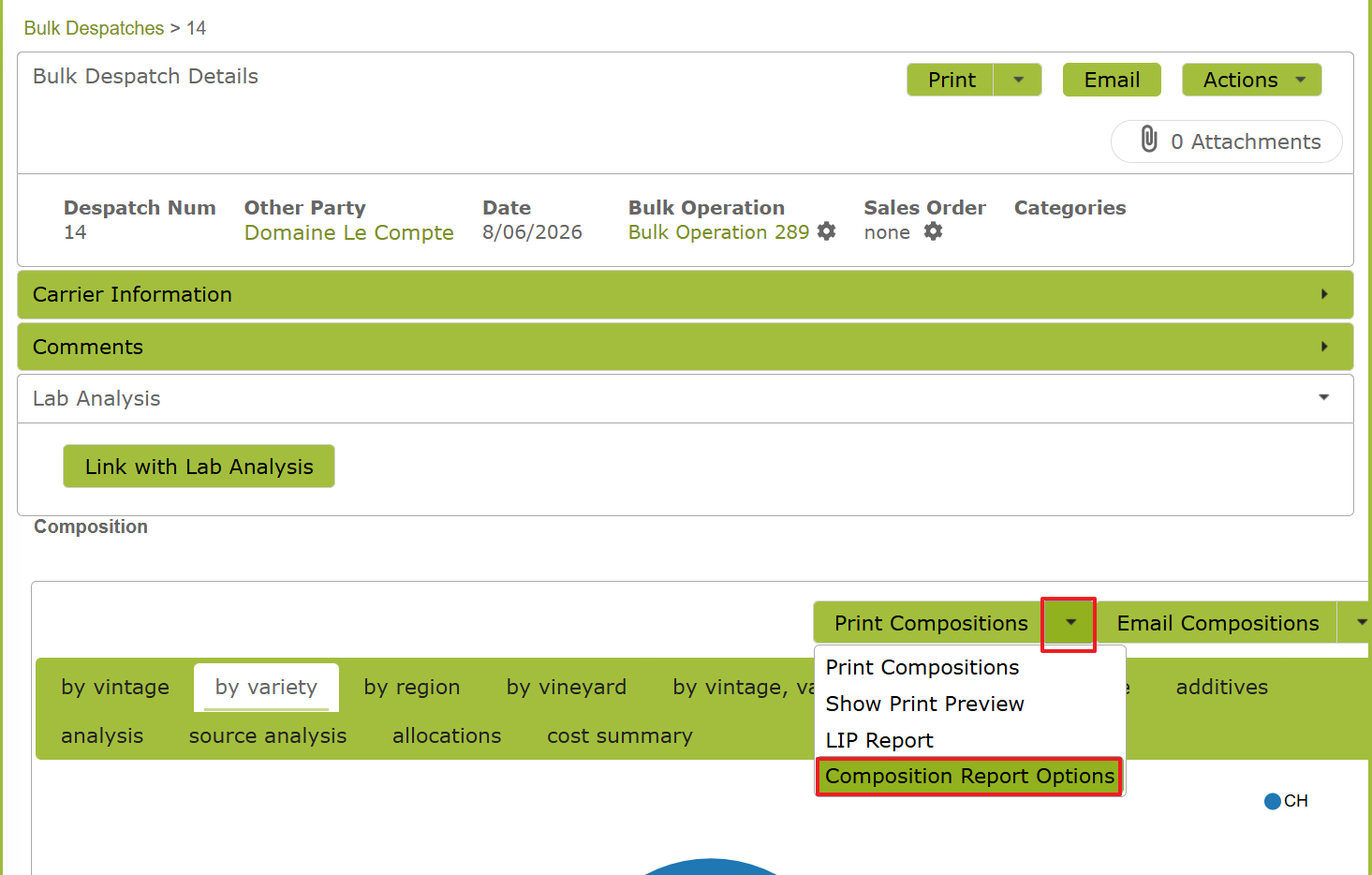
Open the individual Bulk Despatch record from the Bulk Despatches list.
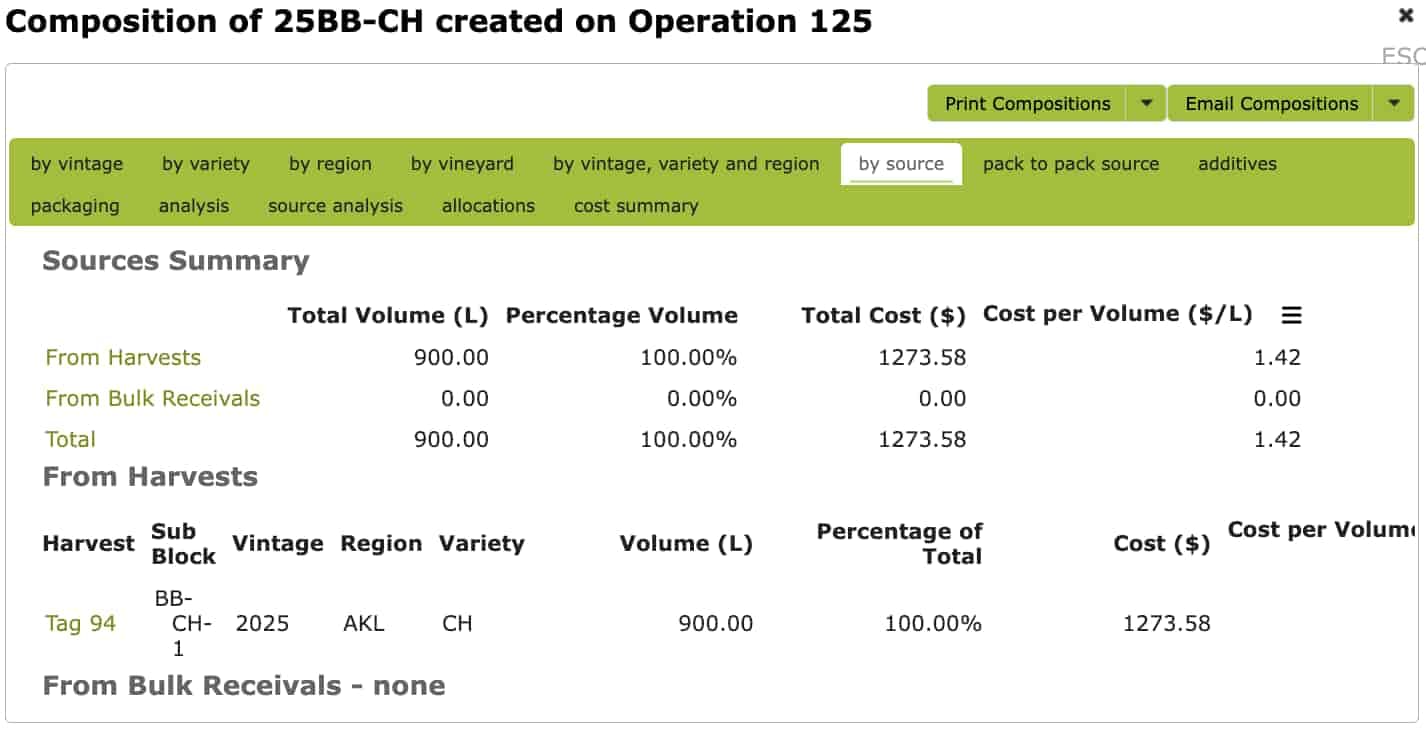
From the composition area, you can use the available print options to generate a report:
The composition of bulk wine bottled?
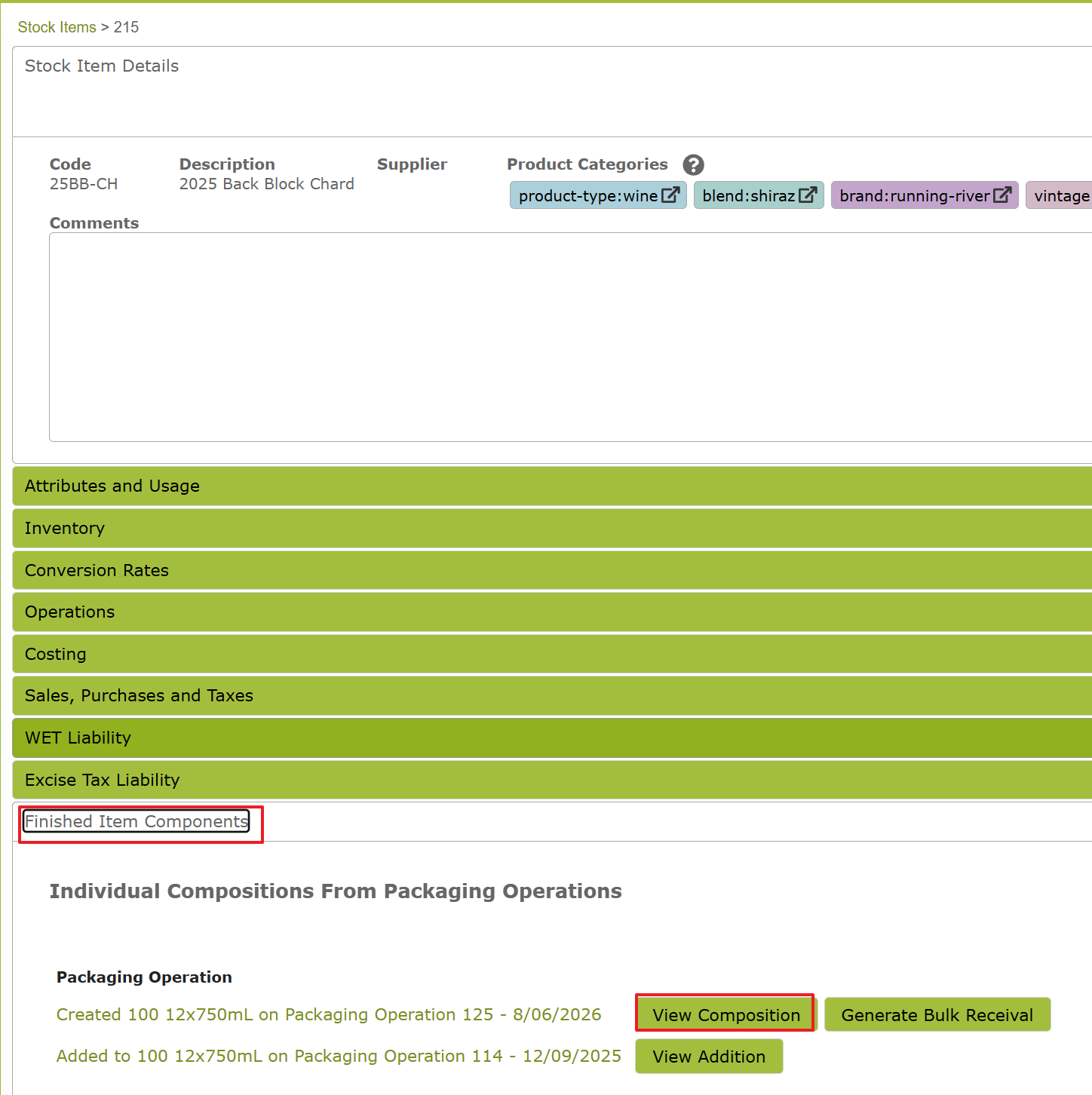
Open either the individual Stock Item or the relevant Packaging Operation.
In the Finished Item Components section, select View Composition. From there, you can use the available print options from the composition area.
View Audit Trail
To view a flow chart tracing the movements of a particular batch or tank, see the Audit Forwards and Audit Backwards features.
These tools show the movements in the order they occurred and help prove that the information shown on the “Where Is It Now” and “Components” tabs can be traced forwards and backwards through the production process.
For audit work, we suggest using the on-screen views first, then exporting or printing sample PDF reports where required for your audit records.